LaserScale platform repair support for semiconductor manufacturing systems.
Use LaserScale as the recognizable brand name for this section. If your equipment or subsystem is identified as LaserScale, this page is the right starting point for service review and model confirmation.
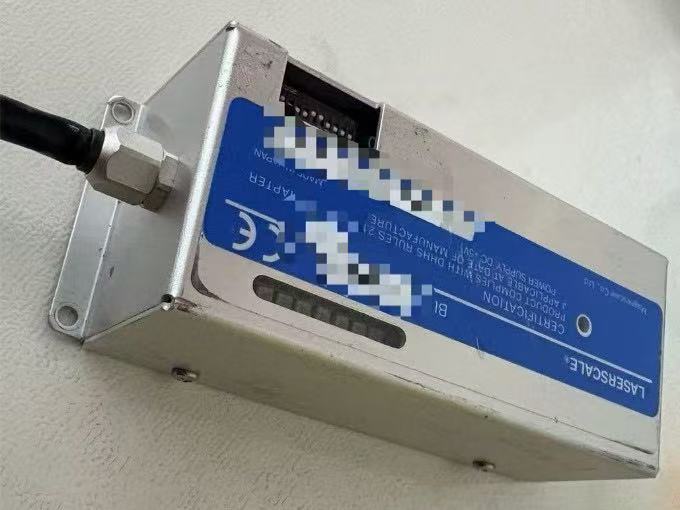
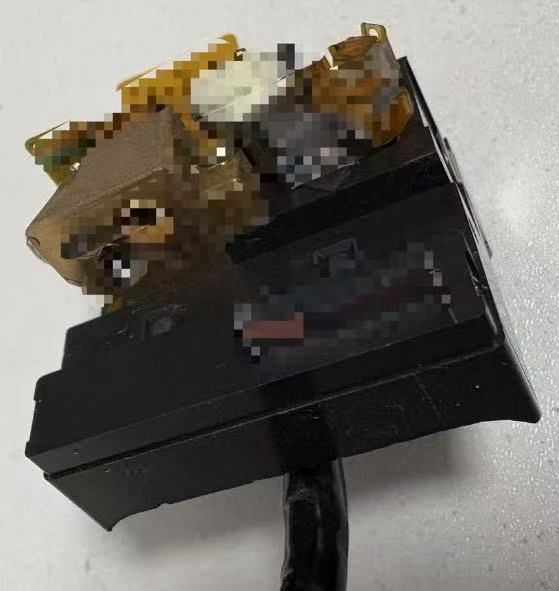
Use these images to confirm whether your subsystem or installed platform aligns with the LaserScale page before sending the inquiry.
Exterior view
Whole-unit reference
Helpful when the platform can be recognized from the external layout or installed label position.
Equipment interior
Interior reference
Equipment-interior photos can help confirm the correct page and speed up review.
How Reviews Start
LaserScale cases usually begin from the recognizable subsystem brand.
When buyers identify the installed subsystem as LaserScale, the first review step is usually confirming the visible unit, installed position, and current symptoms before mapping deeper equipment relationships.
Brand-led entry
Use LaserScale as the public-facing identifier
This brand name is often the most practical public reference for starting a review, even when the company context or deeper equipment path is not yet complete.
Subsystem context
Show where the unit sits and how it behaves
Photos of the subsystem in place, any visible labels, and current operating behavior help determine whether the request belongs in repair, compatibility review, or parts support.
Next step
Confirm equipment path during evaluation
Once the LaserScale unit is confirmed, the review can narrow the broader tool context and decide what source-side or commercial path makes the most sense.
Inquiry Guidance
Start with the LaserScale brand and the visible subsystem details.
For many buyers, the brand or subsystem label is available before the exact model tree is known. That is enough to begin the review and collect the right supporting files.
Most useful inputs
Brand label, installed position, current symptoms
Tell us where the subsystem sits inside the tool, what label is visible, and what failure behavior you are seeing.
Next step
Model detail can follow during evaluation
Once the equipment path is confirmed, the team can help narrow the equipment model or paired laser details if they are relevant to the case.
Field Intake Notes
LaserScale / Magnescale symptoms worth confirming before RFQ.
These public-facing notes convert recent field feedback into intake guidance. They are not a final diagnosis; they help buyers prepare a clearer first review.
Common inquiry symptoms
LD damage and circuit fault
When these symptoms appear, describe the operating state, recent change, alarm behavior, output condition, and whether the issue is intermittent or repeatable.
Configuration clue
BL57 series
Ask whether the buyer reports the system as LaserScale or Magnescale, then use BL57-series context only when visible labels support it.
First RFQ package
Send labels, symptoms, and photos together
Clear equipment or platform label
Installed laser-source label if visible
Current symptom and when it appears
Photos of the laser/source area
Recent service history or operating notes
Next Action
Start here if LaserScale is the brand name you recognize on the system.
Send the brand identifier first, then add model, subsystem, or equipment photos if they are available.